
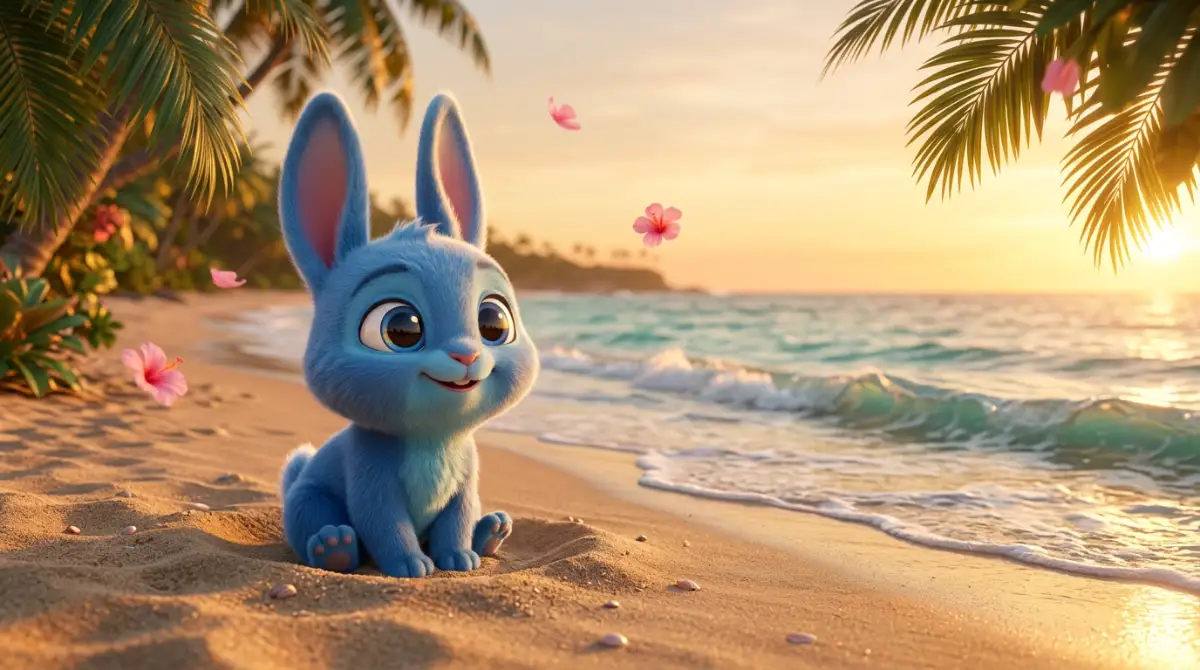
Stitch wallpaper is a digital background featuring the blue alien from Disney’s Lilo & Stitch. Whether you want a cute picture for your iPhone, a pastel Android Lock Screen, or a sharp desktop background, the right image should look good without hiding your clock or app icons. This guide helps you choose a style, find an image with the right proportions, avoid poor-quality downloads, and set it up on your device. It also covers image permissions.
What Is Stitch Wallpaper?
Stitch is the mischievous alien who befriends Lilo in Disney’s Lilo & Stitch. When people search for Stitch wallpaper, they usually mean digital character backgrounds, not sewing patterns. Disney’s official Lilo & Stitch movie page provides character and franchise context.
Start by deciding whether the picture is for a Lock Screen, Home Screen, or a wider computer display.
6 Stitch Wallpaper Styles Worth Exploring
Choose a style that fits your screen layout.
1. Cute Stitch Wallpaper
Soft expressions, tiny hearts, stars, and rounded shapes make cute character art a popular choice for a cheerful phone background. Look for a portrait composition that leaves open space above the character so the clock remains visible.
2. Pink and Pastel Designs
A pink design may combine the blue character with blush backgrounds, lavender clouds, or flowers. The contrast is playful, while lighter colors work well with a coordinated set of widgets. Avoid pale text over similarly pale backgrounds.
3. Hawaiian and Beach Scenes
Palm trees, hibiscus flowers, surfboards, and ocean blues visually connect to the Hawaiian setting of Lilo & Stitch. Tropical artwork suits summer themes, though detailed scenery can compete with app icons.
4. Space and Galaxy Themes
A cosmic background with stars, planets, or deep purple gradients recalls Stitch’s extraterrestrial origin. Darker areas can help bright text stand out, provided the subject does not sit underneath a large clock widget.
5. Minimalist Stitch Backgrounds
A small character outline against a single color is practical when your Home Screen is crowded. Minimalist artwork also works on desktop monitors because shortcuts and folders remain easy to spot.
6. Matching Couple or Friendship Designs
Two coordinated images can share a color palette or split a scene across two devices. Check both crops before saving: an illustration designed as one wide picture may lose its main detail on narrow screens.
Which Wallpaper Size Should You Choose?
Screen orientation matters as much as pixel count. A tall image is usually better for a phone, while computers need wider compositions. These are useful starting points, not universal device specifications.
| Device | Suggested starting image | Best fit |
| Phone | 1080 × 1920 pixels or larger | Vertical composition; allow for taller screens |
| Tablet | Match its portrait or landscape orientation | Keep subject away from crop edges |
| Full HD monitor | 1920 × 1080 pixels | Landscape, approximately 16:9 |
| 4K UHD monitor | 3840 × 2160 pixels | Sharp landscape source, approximately 16:9 |
| Ultrawide monitor | Match your actual display resolution | Wider artwork with a safely centered subject |
If you want a 4K background, check that the file genuinely contains enough detail. A tiny image enlarged to 3840 × 2160 does not become sharper simply because its dimensions changed. Likewise, a 4K desktop image can be cropped for a phone, but might cut off Stitch’s ears or face.
To check your screen, open its display settings and look for the resolution. Then choose an image with similar proportions, ideally at least that many pixels in each direction.
How to Find a Safe, Sharp Image
Before downloading, inspect the original-sized preview. Check outlines around Stitch’s ears, eyes, and hands; blurry or blocky edges often signal heavy compression or enlargement.
Prefer a JPG, PNG, or WebP file from a source that clearly states its usage terms. Avoid sites asking you to install a browser extension, allow notifications, or download an executable file to obtain an ordinary picture. Avoid saving screenshots of thumbnails.
Also consider copyright. Disney character artwork and individual fan illustrations may be protected. Finding a picture through an image search does not automatically grant permission to repost it on your website, sell prints, or distribute a wallpaper pack. The U.S. Copyright Office’s visual-art guidance explains creators’ rights and permission. For any public or commercial reuse, check the specific image’s license or get appropriate authorization.
How to Set It on iPhone
Once you have saved the picture to Photos, follow these steps:
- Open Settings, then Wallpaper.
- Tap Add New Wallpaper and select Photos.
- Choose your saved image and adjust its position.
- Tap Add.
- Select Set as Wallpaper Pair, or Customize Home Screen for a different background behind your apps.
Apple confirms these choices in its official guide to changing iPhone wallpaper. Check that the clock does not cover the character.
How to Set It on Android
Android menu labels vary by device maker and software version. On a Google Pixel, you can:
- Touch and hold an empty area on the Home Screen.
- Open Wallpaper & style, then Change wallpaper.
- Choose your own photo and preview the crop.
- Apply it to the available Lock Screen or Home Screen option.
Google’s Pixel wallpaper setup instructions describe the current Pixel controls. Samsung and other Android phones may use different wording; their wallpaper settings typically offer a similar image-selection process.
Make the Design Work With Your Icons
A beautiful stitch wallpaper can still be inconvenient if notifications and widgets disappear into the art. For a Lock Screen, leave breathing room near the clock and notification area. For a Home Screen, place the main character to one side or use a quiet, solid-colored background.
If a picture looks fuzzy after applying it, try a larger original, check whether the phone enlarged it automatically, and avoid repeated screenshots or resaving compressed versions.
Final Thoughts
Choose artwork for the screen you actually use, not just the thumbnail you like most. Match the image orientation to your device, inspect the quality at full size, and use a source with clear permissions. A clean crop and readable icons usually matter more than an impressive resolution label.
- Read more: Stitch Wallpaper
Frequently Asked Questions
Where can I find cute Stitch wallpaper?
Find authorized artwork or images with clear download terms. Preview the full file before saving; a search thumbnail alone may not reveal its quality or usage rights.
What is the best Stitch wallpaper size for an iPhone?
Use an image with dimensions and proportions close to your particular iPhone display. Leave space above the character for the clock.
Can I use Stitch wallpaper on Android?
Yes. Most Android phones let you choose an image from your photos for the Home Screen, Lock Screen, or both. Exact menus depend on the model.
Is 4K Stitch wallpaper better than HD?
Only if the source includes genuine extra detail and your screen benefits from it. Enlarging a low-resolution image does not restore lost detail.
Why is my Stitch background blurry?
The file may be small, compressed, or stretched to fit the display. Find a higher-quality original and crop it without excessive zooming.
Is pink Stitch wallpaper suitable for a Home Screen?
Yes, especially when the background leaves enough contrast behind your icons. Simple pastel designs reduce clutter.
Can I use separate Stitch pictures for Lock Screen and Home Screen?
Yes, on iPhone and many Android models. A busy image can suit the Lock Screen, while a coordinated minimalist version works well behind apps.
Is every online Stitch image free to download and share?
No. Saving an image does not authorize redistribution or resale. Review the source terms.
Can I put Stitch wallpaper on my laptop?
Yes. Choose a landscape file close to your monitor’s native resolution, and avoid hiding shortcuts.