
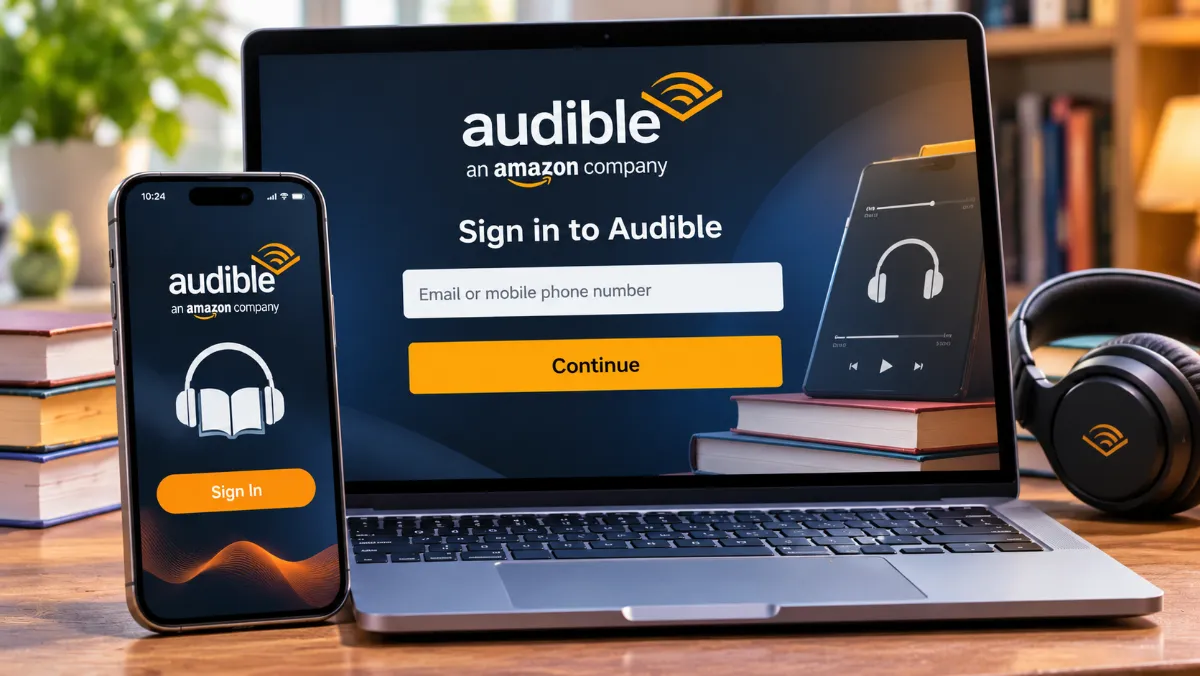
To complete your Audible login, open the official Audible website, select Sign in, and enter the Amazon credentials associated with your Audible account. You can also sign in through the Audible app on an iPhone or Android device. If access fails, check your email address, password, and marketplace before attempting account recovery. An older Audible username-based account may follow a different process. This guide explains how to reach the correct sign-in page, recover your password, find missing audiobooks, and resolve common problems without exposing your account information to unofficial websites.
How to Log In to Audible on the Website
For U.S. listeners, the official Audible sign-in page is the safest starting point. You can use a desktop browser or the browser on your phone.
- Open Audible’s official sign-in page.
- Select Sign in if the page displays a welcome screen.
- Enter the email address or mobile number linked to your Amazon account.
- Enter your password and follow the on-screen prompts.
- Complete any additional identity verification Amazon requests.
- Once signed in, choose Library to find your audiobooks.
- Open your account menu to review membership and account settings.
If you’re taken to an Amazon-branded sign-in screen, that is expected for an Audible account linked to Amazon.
How to Sign In on iPhone or Android
The process is similar on both mobile platforms. Install the official Audible app from Apple’s App Store or Google Play, then open it and select Sign in. Choose the marketplace associated with your purchases, enter your Amazon-linked credentials, and complete any security check.
After signing in, open Library and select a title to listen. If you’re returning to Audible on a new phone, some previously downloaded books may need to be downloaded again. Your account and marketplace determine which purchases appear, not the phone you used originally.
If the app opens to an empty library, check the marketplace before assuming your books were removed.
Do You Need an Amazon Account for Audible?
Most listeners use their Amazon credentials to access Audible. For an account already linked to Amazon, the Audible password is the same as its Amazon password. Changing that password affects both services.
There is an important exception: some long-standing customers still have a separate Audible username-based account. Audible’s October 30, 2026 instructions say eligible customers must merge these accounts with Amazon by January 12, 2027, to keep listening without interruption.
Audible’s official account-merging instructions explain the eligibility requirements and process. Merging may affect certain account content.
If you have several Amazon accounts, don’t assume the first successful login is the correct one. The account containing your purchases may use another email address.
How to Reset Your Audible Password
If you have an Amazon-linked Audible account and have forgotten its password, use Amazon Password Assistance through Audible’s official account instructions.
- Open Audible’s account information help page.
- Follow its password assistance link.
- Enter the email address or phone number linked to your Amazon account.
- Complete the verification steps provided.
- Set a new password and return to Audible.
- Sign in using your updated credentials.
A recovery email or one-time code may be required. Check that the message relates to a reset you initiated, and never give a verification code to someone offering help over a call or message.
If you use an older username-based Audible account, follow Audible’s username recovery guidance instead of automatically resetting a different Amazon account.
Why Is Audible Login Not Working?
Wrong Password or Account
Passwords are case-sensitive. Check for typing mistakes, then confirm that the email address belongs to the account that holds your purchases.
Incorrect Audible Marketplace
Audible operates separate country storefronts. U.S. purchases are generally associated with Audible.com, but a listener may have bought books through another marketplace.
In the app, open Profile, select the Settings gear, then Marketplace. Choose the storefront associated with your purchases. You can also sign out and select the marketplace on the welcome screen before signing in again.
Switching storefronts in the app is not the same as formally migrating an account. It does not move purchased titles to another marketplace.
Outdated App or Verification Error
Check the App Store or Google Play for an available Audible update. If Amazon asks for a one-time password, use the most recent code and follow its expiration instructions. Repeated failures may require password recovery or official customer support.
How to Find the Email Address on Your Audible Account
Already signed in on another device? Open Audible, choose Profile, then Settings, and scroll to the bottom. Audible says the account email appears beneath the Sign out area.
On the desktop site, select your name, open Membership details, and choose Settings.
What to Do When Audiobooks Are Missing
A successful sign-in with an empty library is usually an account, marketplace, or library-display issue. Work through these checks:
- Confirm that you’re using the account that bought the title.
- Check that you signed in to the marketplace where the purchase was made.
- Refresh the app library by pulling down on the Library screen, or choose Profile, Settings, Library, and Refresh Library.
- Check Library, Lists, and Hidden for titles you’ve hidden from the main view.
- Review purchase history and remove any filters that could be hiding a title.
- Update the app if a new purchase still does not appear.
A title previously available only through a changing membership catalog may also become unavailable. Contact Audible Customer Service if the troubleshooting steps don’t resolve the problem.
Audible’s official missing-audiobook troubleshooting guide covers these checks in greater detail.
How to Protect Your Audible Sign-In
Use official Audible or Amazon pages, and don’t share your password or verification codes. Be cautious of messages claiming your membership will be canceled unless you immediately log in through an unfamiliar link.
If you’re unsure about a message, open Audible directly in your browser rather than using its link.
Conclusion
Start with Audible’s official sign-in page and the credentials tied to your purchases. If you cannot get in, check your account details, reset your password through Amazon when appropriate, and confirm the right marketplace. Users with older username-based accounts should also review Audible’s account-merging deadline.
- Read more: Audible Login
Frequently Asked Questions
What is the official Audible login website?
Use Audible.com for the U.S. marketplace and select Sign in. The dedicated sign-in page is available through Audible’s official website.
Can I sign in with my Amazon password?
Yes, if your Audible account is linked to Amazon. Older username-based Audible accounts are an exception until they are merged.
Why does Audible keep rejecting my password?
Check capitalization and the account email. If they are correct, try Amazon Password Assistance for an Amazon-linked account.
Can I sign in with my phone number?
You may be able to use a mobile number associated with your Amazon account. Follow the sign-in options displayed for your account.
Why is my Audible library empty?
The wrong account or marketplace is a common cause. Refresh your library, check hidden titles, and review purchase history.
How do I change my Audible marketplace?
In the app, go to Profile, Settings, and Marketplace. Select the storefront associated with your purchases. Changing it does not transfer titles.
Can I use Audible on multiple devices?
Yes. Sign in on supported devices with the same account. You may need to download titles separately on each device.
What if I forgot my old Audible username?
Use Audible’s username recovery instructions. If your account is eligible for Amazon merging, review the official requirements and deadline.
What should I do if I still cannot sign in?
Update the app, verify your marketplace and credentials, and follow official recovery steps. Contact Audible support if access remains unavailable.