
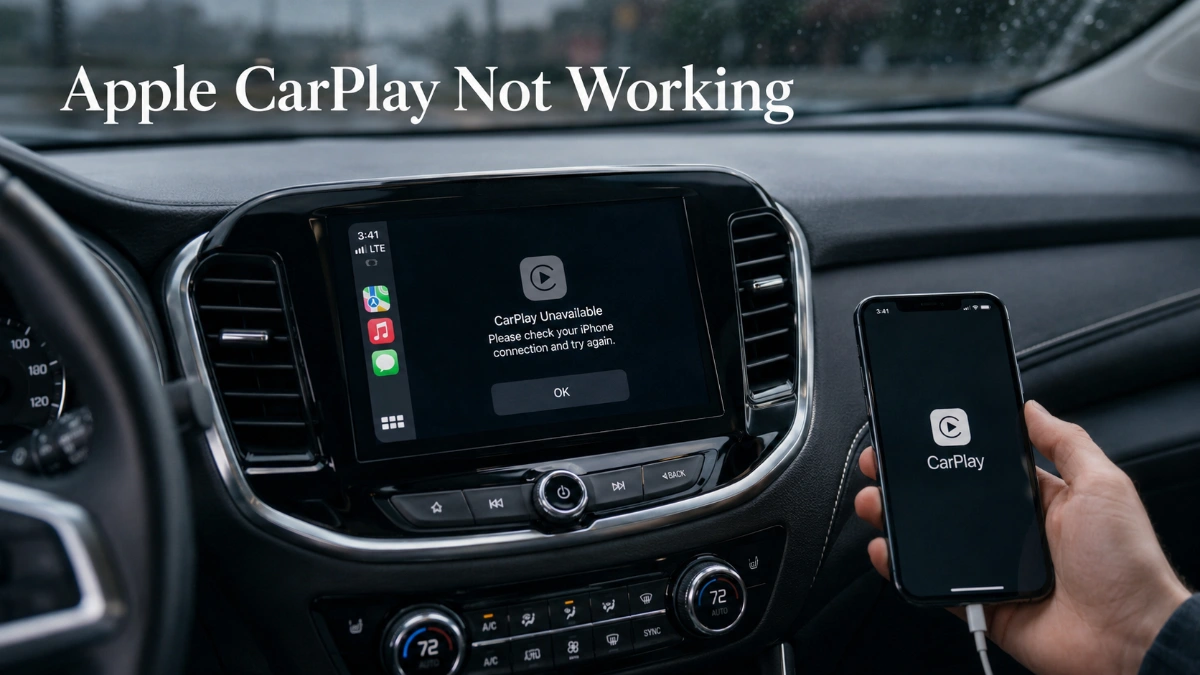
apple carplay not working: 5 Root Causes Behind the Problem
Apple CarPlay not working rarely has a single explanation. A federal vehicle-safety bulletin on CarPlay connectivity interruptions lists hardware, software, and environmental factors as distinct, overlapping categories of cause — which means the right fix depends on identifying which category applies, not on working through a generic list. This article groups the most common causes into five categories and pairs each with its direct fix.
Cause: Physical Connection Damage (Wired CarPlay)
A damaged or poor-quality USB cable, or dust and debris inside a USB port on either the iPhone or the head unit, can cause intermittent or total loss of connection. This explains a specific pattern many readers notice: the iPhone still charges normally, because charging and data transmission run on different lines within the same cable, and the data line can fail while the charge line keeps working.
Fix: Replace the cable with the manufacturer’s original or an MFi-certified equivalent, inspect both ports for visible debris, and remove any USB-C-to-Lightning adapter to test whether it’s the point of failure. If Apple CarPlay not working persists after a clean cable and port, the fault sits elsewhere on this list.
Cause: Unstable Wireless Connection (Wireless CarPlay)
Intermittent or unstable Bluetooth and Wi-Fi communication can frequently break the CarPlay connection, and wireless CarPlay specifically depends on Bluetooth, Wi-Fi, and Wi-Fi Auto-Join all being active together — Bluetooth alone will not sustain the connection. Beyond settings, electronic interference from nearby cell towers, or from crowded RF environments like toll bridges and airports, can disrupt the wireless signal independent of anything wrong with the phone or car.
Fix: Confirm Bluetooth, Wi-Fi, and Auto-Join are all enabled, then rule out interference by noting whether Apple CarPlay not working correlates with specific locations rather than happening everywhere; if it does, the cause is environmental rather than a setting worth chasing further.
Cause: Settings Silently Blocking CarPlay
Two settings unrelated to any connection can disable CarPlay outright. Screen Time’s Content & Privacy Restrictions include an Allowed Apps list, and CarPlay won’t launch if it isn’t permitted there; separately, Siri must be enabled, since CarPlay’s setup and voice functions depend on it. A VPN or security app can also interfere with wireless CarPlay’s network-dependent functions by intercepting the traffic CarPlay uses to communicate with the vehicle.
Fix: Check Settings > Screen Time > Content & Privacy Restrictions > Allowed Apps, confirm Siri is on under Settings > Siri & Search, and temporarily disable any active VPN to test whether Apple CarPlay not working resolves without it.
Cause: Vehicle-Side Firmware or Compatibility Limits
Outdated firmware or bugs in the vehicle’s head unit can prevent a stable connection even when the iPhone is functioning correctly, and separately, CarPlay support itself — wired-only, wireless-capable, or unavailable — varies by brand, model year, and trim. A car that only supports wired CarPlay will never sustain a wireless connection no matter how many iPhone settings are adjusted.
Fix: Check for a head-unit firmware update through the vehicle’s own settings menu, and confirm with the manufacturer or dealer exactly which CarPlay mode the specific trim supports before continuing to troubleshoot the iPhone.
Cause: Environmental and Power-Related Factors
A federal bulletin on CarPlay connectivity notes that unstable power delivery from the vehicle’s electrical system, Low Power Mode restricting background processes on the iPhone, and device overheating causing either the phone or head unit to disable functions can all independently trigger disconnections. These causes explain why Apple CarPlay not working sometimes appears only in certain conditions, such as a hot dashboard mount in direct sunlight or a phone running low on battery.
Fix: Avoid placing the iPhone in direct sunlight or on a heat-absorbing mount, turn off Low Power Mode during drives if the connection is unstable, and note whether disconnections cluster around specific temperature or battery conditions to confirm this cause before assuming a settings or cable problem.
If the Cause Traces to a Recent iOS Update
Some readers narrow the cause to a specific point in time: Apple CarPlay not working started right after updating to iOS 26.x, with user reports describing dropped wireless connections and audio glitches. These reports are consistent across Apple’s own community forums but aren’t confirmed as affecting every device, so an iOS update is a plausible cause category rather than a confirmed universal one. As of this guide’s verification in August 2026, Apple’s iOS 26.6 developer release notes list no CarPlay-specific fix, so updating alone shouldn’t be assumed to resolve an update-linked problem on its own.
When No Single Cause Fully Explains It
If Apple CarPlay not working persists after addressing cable, wireless settings, device settings, vehicle compatibility, and environmental factors individually, the pattern of failure points to the next step. Failure across multiple confirmed-compatible vehicles with the same iPhone suggests a software-side issue worth raising with Apple support directly, while failure confined to one vehicle with confirmed compatibility points toward that vehicle’s manufacturer as the more direct contact.
Frequently Asked Questions
There isn’t one dominant cause — physical cable/port damage, wireless interference, blocked settings, vehicle compatibility limits, and environmental factors like heat or Low Power Mode all appear as independent, roughly equally common causes.
Yes, electronic interference in RF-heavy environments such as toll bridges, airports, and areas with heavy cell tower congestion can disrupt the wireless signal CarPlay relies on, independent of any phone or car fault.
Yes, Low Power Mode restricts background processes on the iPhone and can affect CarPlay’s connection stability, so turning it off during a drive is worth testing if the connection is unreliable.
Yes, if either the iPhone or the vehicle’s head unit overheats, one or both may disable certain functions, including CarPlay, to prevent damage.
A damaged or low-quality cable, or debris inside the USB port, is generally the more common cause for wired connections, since data lines tend to fail before charging lines do.
Yes, outdated head-unit firmware is a known cause of unstable CarPlay connections, so checking for an infotainment system update is worth doing before assuming the fault is on the iPhone’s side.
Yes, some ports are built for charging only and lack the data capability CarPlay needs, and even data-capable ports can develop debris or physical damage over time that causes intermittent drops.